
Lens•Lab1.2 - Google Play
You'll be able to see results in few seconds.
Publisher Description


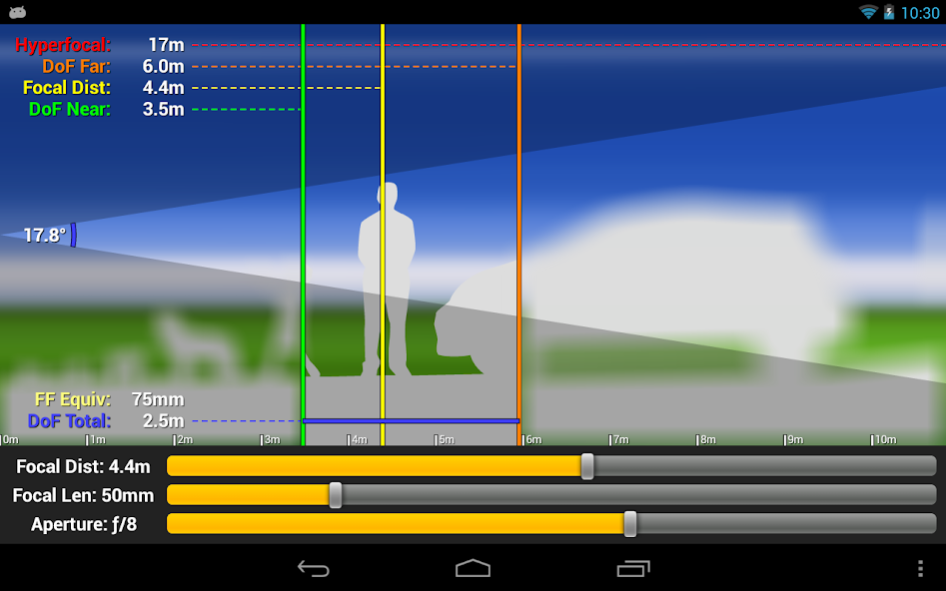
Lens•Lab is a virtual lens simulation tool for photographers of all skill levels. It graphically illustrates how depth of field and field of view relate to your SLR camera and lenses.
Professionals will like how quick and easy it is to get depth of field calculations.
Semi-pro photographers will enjoy configuring "what-if?" scenarios for various lenses.
Photography beginners will find it to be a great learning tool by exploring the interplay of aperture, focal length, and focal distance in real time.
Lens•Lab is more than a great depth of field calculator, it's a lens simulator that can help you explore, see, and intuitively understand how depth of field works with your camera and lenses.
Lens•Lab Features:
Advanced visual depiction of depth of field with real-time controls:
• The background scales from 10 centimeters to 100 meters interactively
• Out-of-focus areas are represented as blurred / dimmed in real-time
• Distance labels, angle of view, and other information updates as you touch
Easily control aperture, focal length, and focal distance with sliders or touch:
• Aperture (from ƒ/1 to ƒ/32)
• Focal Length (configurable minimum and maximum)
• Focal Distance (from 10cm to 100m)
Information overlays are independently configurable:
• Hyperfocal Distance
• Far Depth of Field
• Focal Distance
• Near Depth of Field
• Total Depth of Field
• Vertical Angle of View
• Distance Scale
Sensor size is configurable for:
• Full Frame
• APS-H
• DX
• APS-C
• Four Thirds
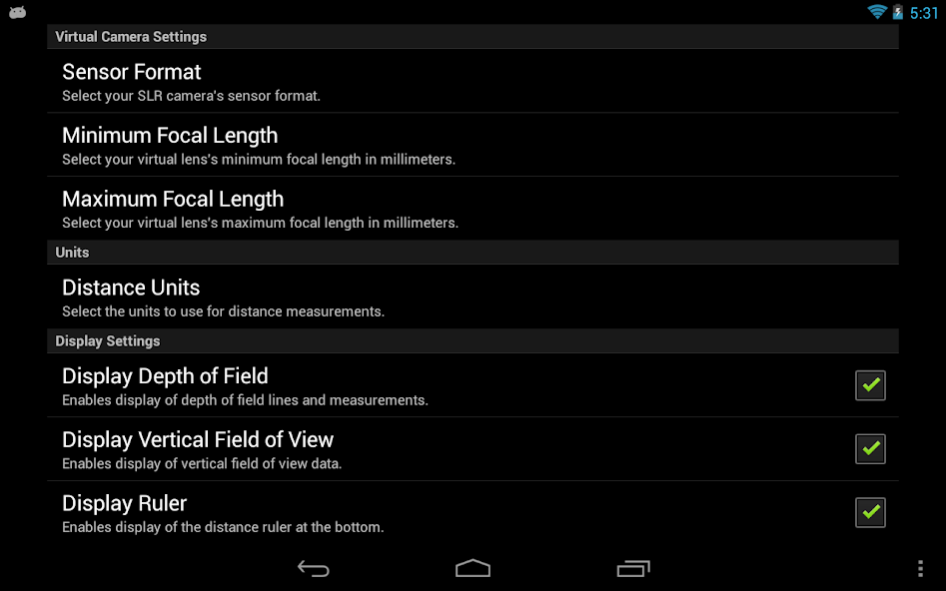
Additionally, there are controls for distance units (metric or imperial) and display of Full Frame Equivalent focal length (for cameras with sensors smaller than full frame.)
Included is a usage guide that explains all features of the application as well as depth of field in photography.
This app works with all Android devices including phones and tablets running Android 2.2 or newer.
Note: to access the settings menu on newer devices, press and hold the app switching button.
About Lens•Lab
The company that develops Lens•Lab is Jeff Menter. The latest version released by its developer is 1.2.
To install Lens•Lab on your Android device, just click the green Continue To App button above to start the installation process. The app is listed on our website since 2018-04-14 and was downloaded 0 times. We have already checked if the download link is safe, however for your own protection we recommend that you scan the downloaded app with your antivirus. Your antivirus may detect the Lens•Lab as malware as malware if the download link to com.jeffmenter.lenslab is broken.
How to install Lens•Lab on your Android device:
- Click on the Continue To App button on our website. This will redirect you to Google Play.
- Once the Lens•Lab is shown in the Google Play listing of your Android device, you can start its download and installation. Tap on the Install button located below the search bar and to the right of the app icon.
- A pop-up window with the permissions required by Lens•Lab will be shown. Click on Accept to continue the process.
- Lens•Lab will be downloaded onto your device, displaying a progress. Once the download completes, the installation will start and you'll get a notification after the installation is finished.
Program Details
System requirements
Download information
Pricing
Version History
version 1.2
posted on 2018-04-14
. Added settings and help buttons
version 1.1
posted on 2014-07-20
New for version 1.1: Sliders have added accuracy. Slide your finger up to increase accuracy when using the sliders for Focal Distance, Focal Length, and Aperture.
Disclaimer
Official Google Play Link
We do not host Lens•Lab on our servers. We did not scan it for viruses, adware, spyware or other type of malware. This app is hosted by Google and passed their terms and conditions to be listed there. We recommend caution when installing it.
The Google Play link for Lens•Lab is provided to you by apps112.com without any warranties, representations or guarantees of any kind, so access it at your own risk.
If you have questions regarding this particular app contact the publisher directly. For questions about the functionalities of apps112.com contact us.
